Move-in & move-out
Extra hands on the days everyone’s scrambling.

Taskr
Students helping students
Taskr
Taskr connects students who need a hand with students on campus who want to earn. Post what you need, see who's around, get it done — all on campus.
Built by students, for students. Starting at Penn State and Virginia Tech.
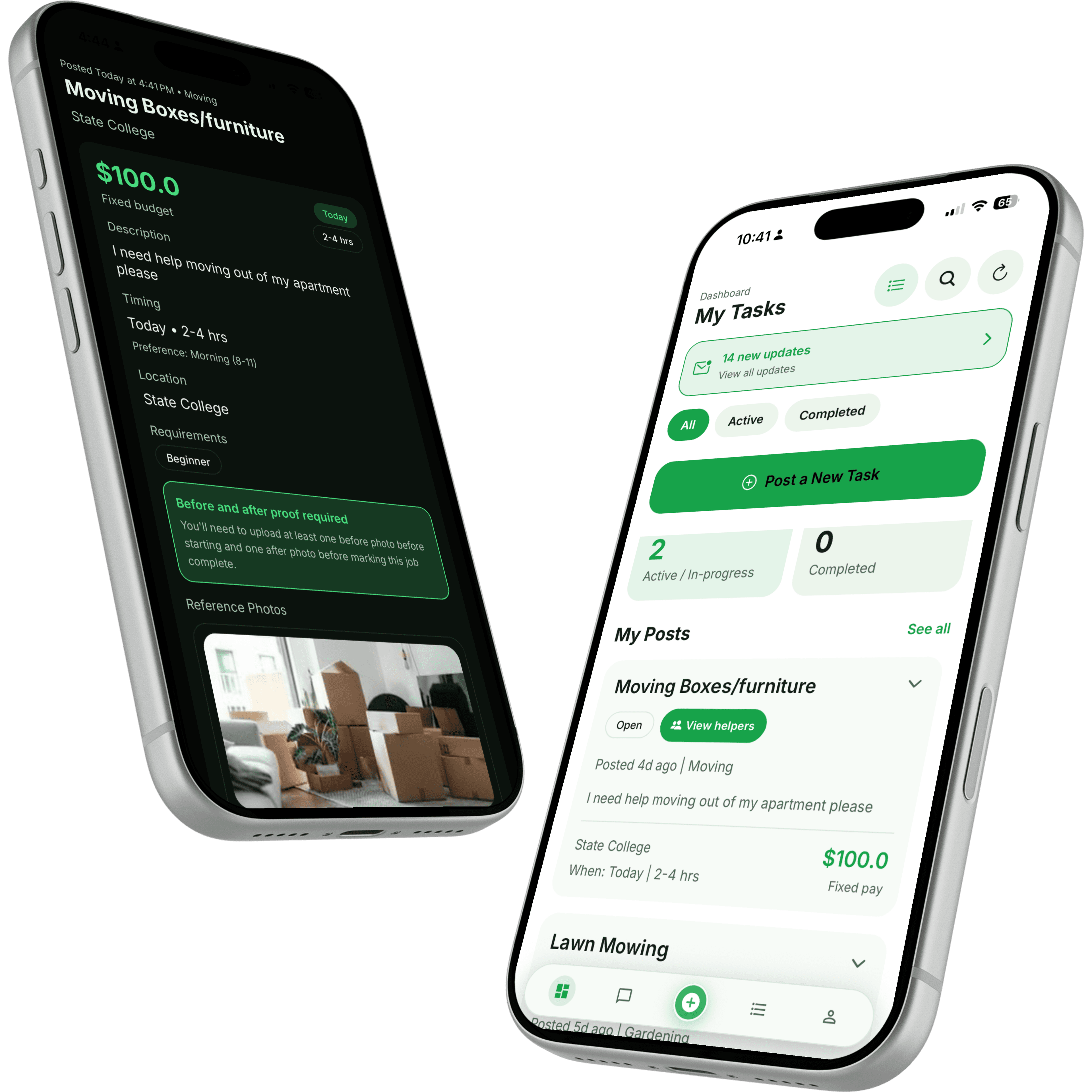
How it works
Whether you need help or want to earn, getting started is quick.
Post a task
Describe what you need and when. Takes a minute.
Compare helpers and chat
See profiles and ratings, then message before you commit.
Pick someone and get it done
Choose your helper and track it through the app.
Find tasks on campus
Browse work close to you that fits your schedule.
Choose what you want
Only take the tasks that work for you. No pressure.
Get paid for real work
Finish the job and get paid through the app.
Use cases
If it's a real-world task, chances are a student on campus can help.
Extra hands on the days everyone’s scrambling.
IKEA assembly, lofting beds, and mounting a TV.
Airport runs before break, grocery trips, and Walmart runs.
A stronger student in the class you’re sweating.
Food runs, mailroom packages, and printing.
Offload your stuff at semester end.
Why Taskr
A few things we care about getting right from day one.
You pick the helper. Browse profiles and decide who’s the right fit.
Tasks go to students on campus, so help doesn’t have to come from far away.
Messages and status stay in one place, so you always know what’s next.
If something’s off, our team is there to help you sort it out.
For helpers
Pick up work that fits between classes. Choose what you want, set your own pace, and get paid for real jobs near campus. No commute, no commitment.
Tasks helpers take on
Trust & safety
Nothing fancy, just the basics that help people feel comfortable.
See who you’re working with and what others thought before you decide.
Everyone agrees on what the job is up front, so there are no surprises.
If something doesn’t go to plan, you can reach out and we’ll help.
Testimonials
These are placeholder quotes for now. Real ones land after launch.
Placeholder
“Posted a moving task in the morning and had it sorted by lunch. So much easier than asking around.”
Placeholder — Poster
Sample quote for layout
Placeholder
“I pick up a couple tasks on weekends. It’s nice to earn without locking into a schedule.”
Placeholder — Helper
Sample quote for layout
Placeholder
“Being able to chat first made me feel good about who showed up to help.”
Placeholder — Poster
Sample quote for layout
Download Taskr
Download the app to post what you need, find nearby student helpers, or start earning on your own schedule.
FAQ
Everyday campus needs like move-in help, dorm setup, rides, tutoring, pickups, errands, and hauling furniture at semester end. If it’s a real-world task a student on campus can help with, it fits.
Payments happen securely through the app once a task is done, so you don’t need to handle cash. Helpers get paid for completed work.
You browse helper profiles and ratings, message anyone you’re considering, and pick the person who feels right. You’re always in control.
We’re starting in State College, PA and growing from there. Download Taskr to check availability and get started in your area.
If something doesn’t go as planned, you can reach our support team and we’ll help you work it out. Dispute support is available.
Download Taskr, create a helper profile, and choose the work that fits your schedule. You’ll be able to browse available tasks and start earning through the app.